How Oskoole worksAsk. Follow. Come back.
You ask a tech question in your own words. Oskoole answers with simple steps, pictures and a voice reading them out. That’s all there is to it.
Your first three questions are free. No card, no account.
1
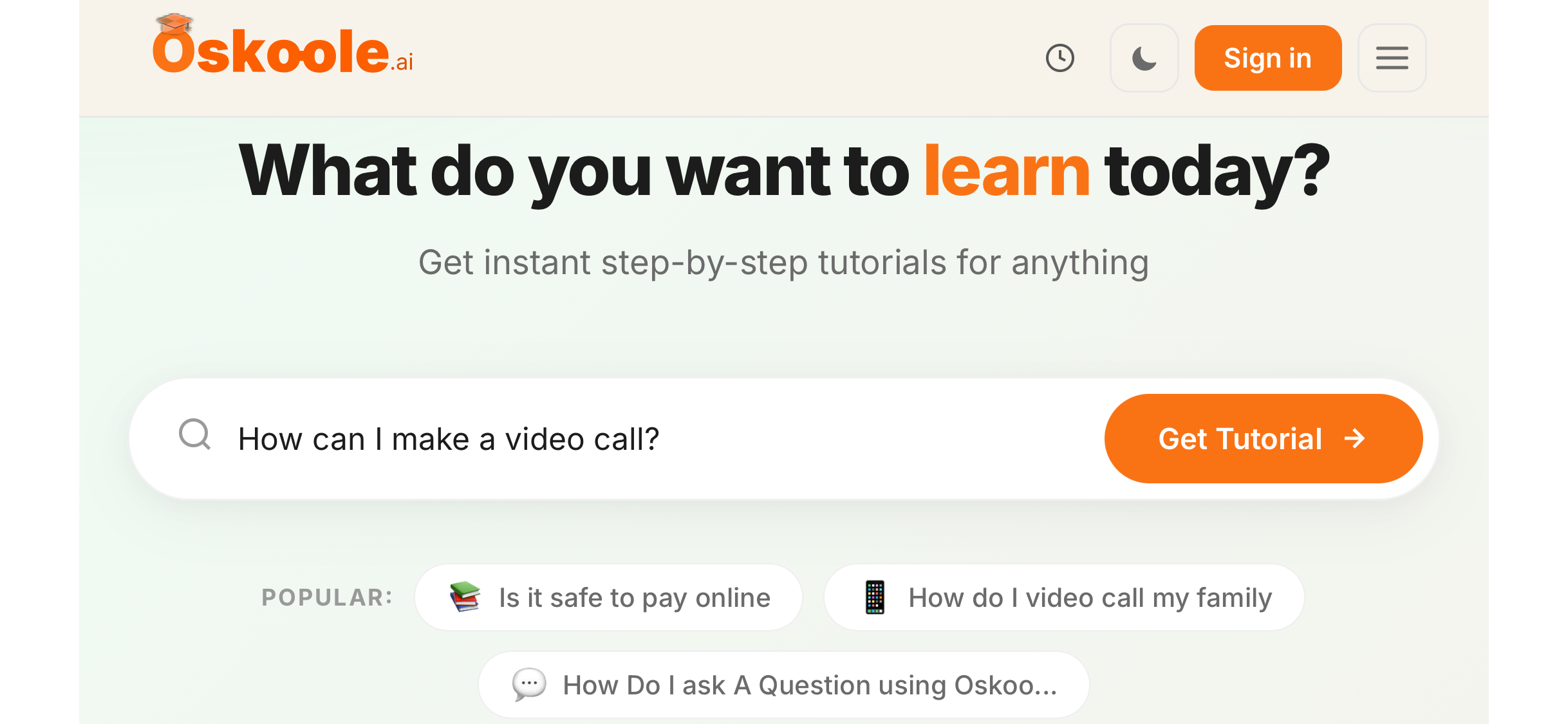
Ask it your way
Type your question into the box, the way you’d say it out loud. There’s no special wording and no wrong question.
- “Is this text a scam?”
- “How do I video call my family?”
- “Where did my photos go?”
2
Follow the steps
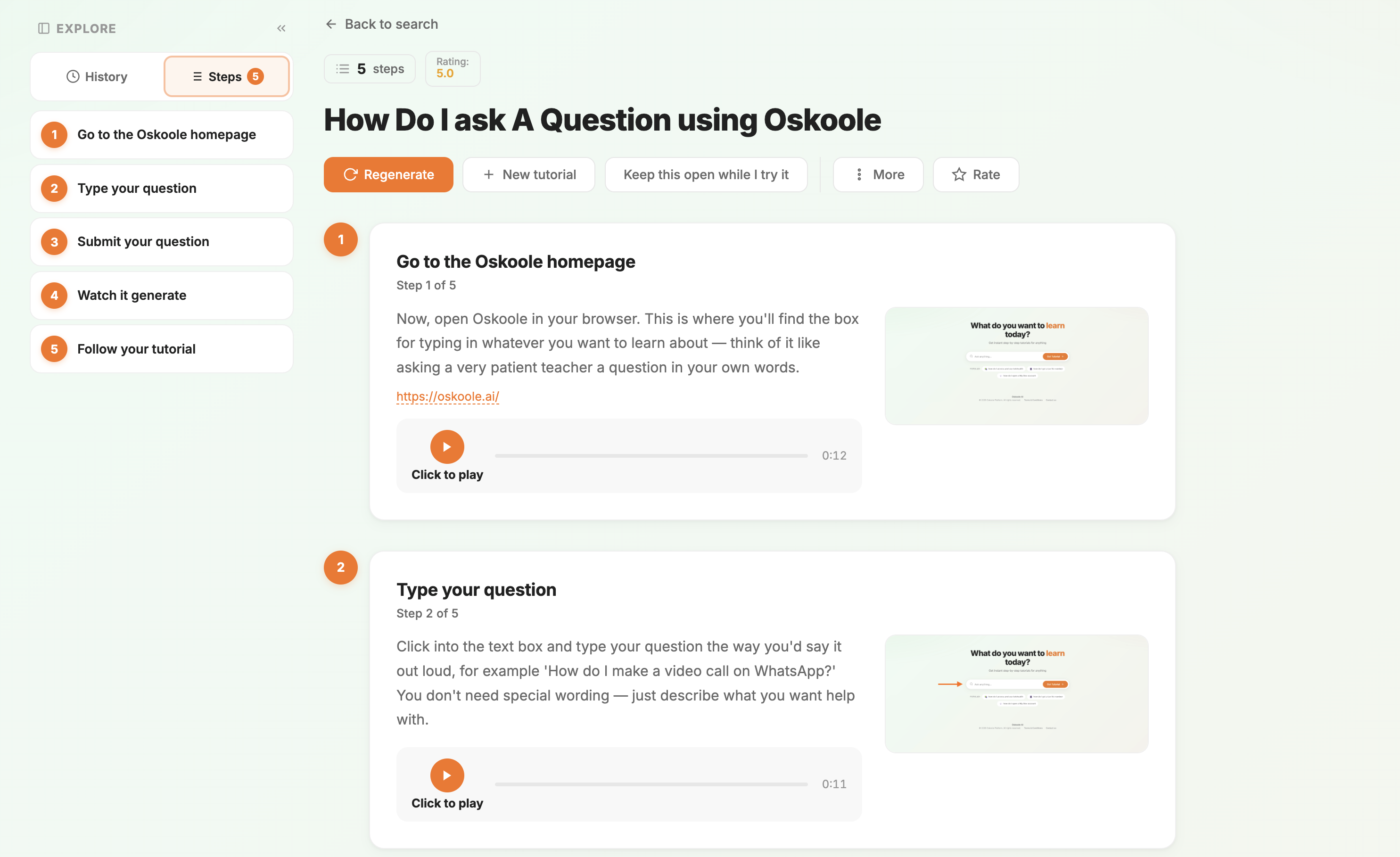
Oskoole turns your question into a short tutorial. Go at your own pace, one step at a time.
- Numbered steps in plain English, no jargon
- A picture for each step, so you know where to tap
- A friendly voice reads each step to you
- In any of 76 languages
3
Come back any time
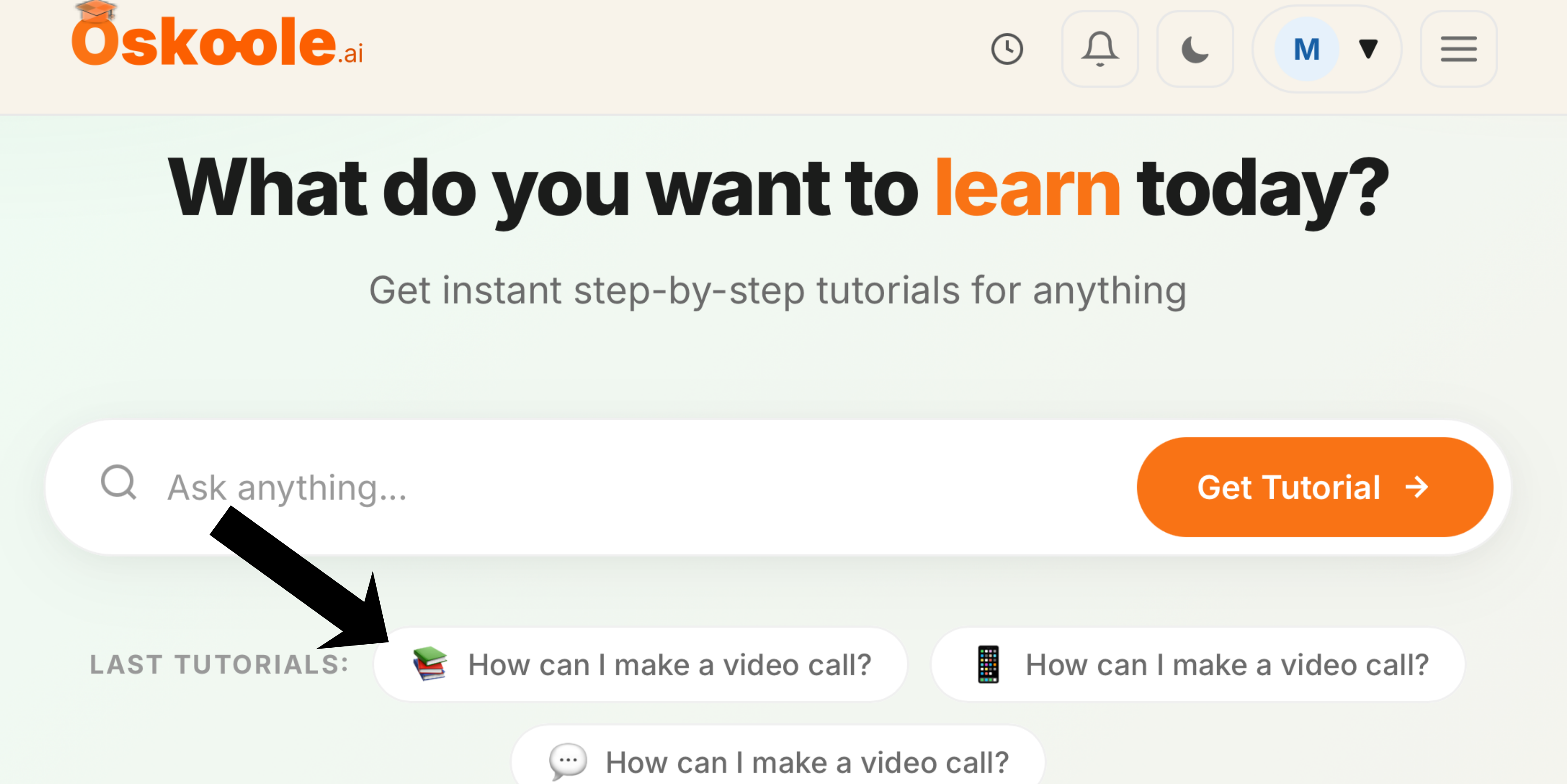
Forgotten how you did it? Every answer is saved, ready for next week or next year.
- Your past tutorials sit right under the question box
- Replay them as often as you like
- No one to bother, no one waiting
Works on the device you already have
Oskoole runs in your web browser, so there’s nothing to install.
PhoneiPhone or Android
TabletiPad or Android tablet
ComputerWindows or Mac
No rush. No jargon. No judgement.
Try it with your own question.
Your first three questions are free. After that, it’s $99 a year or $9.99 a month, with Brain Skoole included.