Your digital literacy program. Your brand.Live in a fortnight.
Patient, step-by-step tech help for your residents in 76 languages, under your name. Nothing for your staff to build or maintain.
See it with your own brand · or email [email protected]
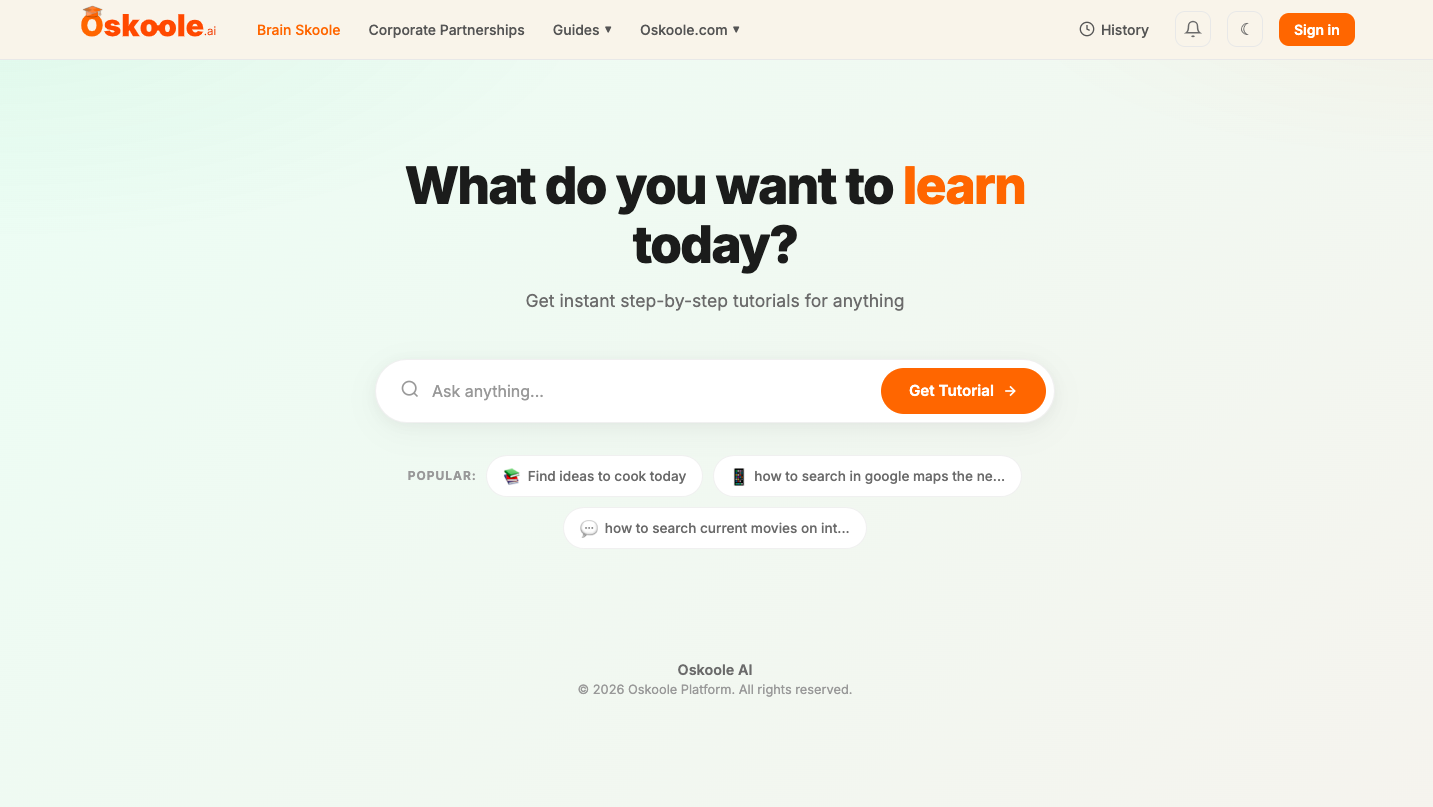
Becomes your own site
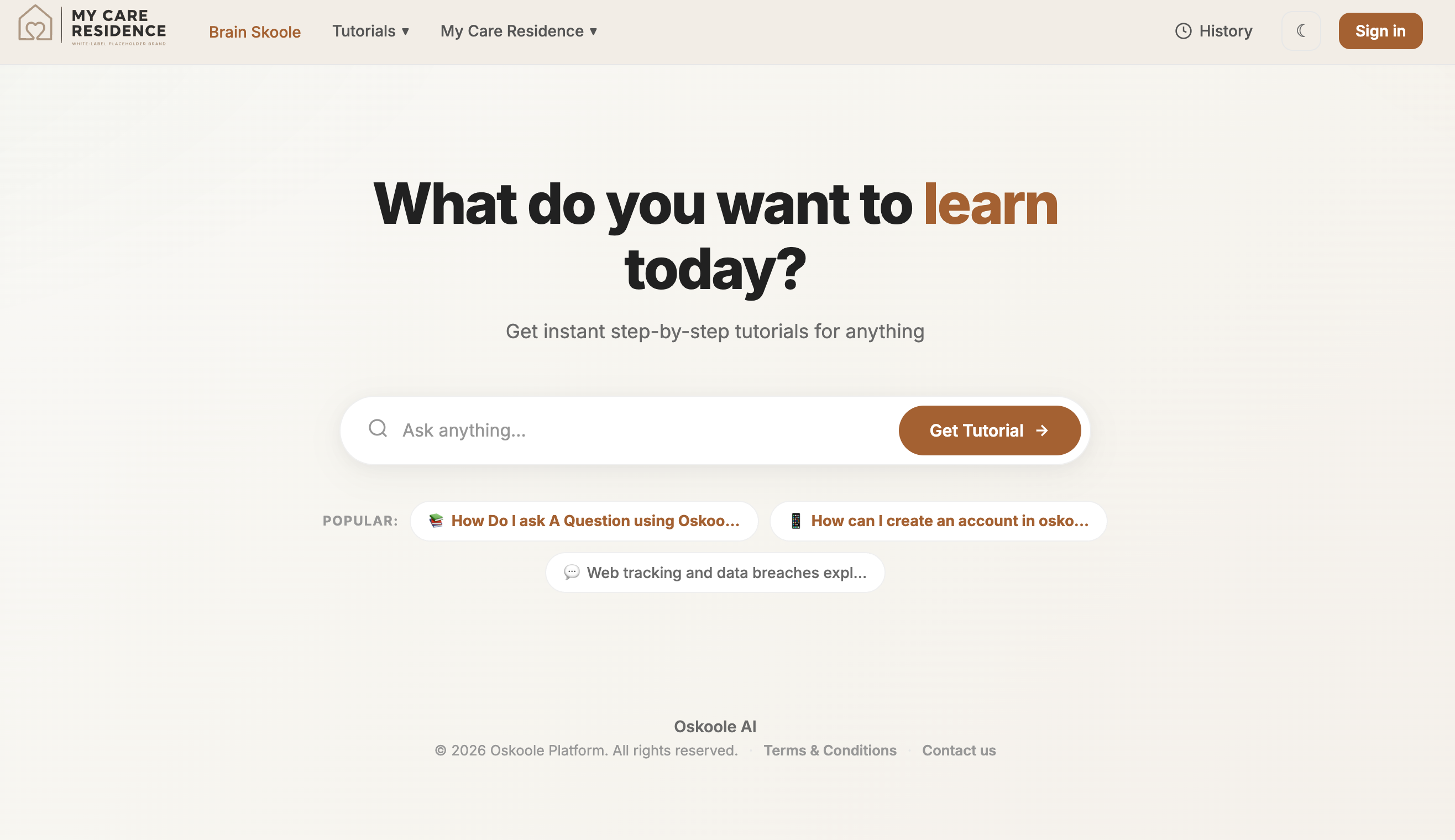
Our demo partner, My Care Residence: their logo, their colours, their web address.
The world went digital. Your residents didn’t get a vote.
Centrelink moved to myGov. The local bank branch closed. The GP now does telehealth, and the specialist sends referrals by email.
Oskoole isn’t a lifestyle extra. It’s how residents reach the things they’re already entitled to, and call the grandkids without asking for help first.
Australian Digital Inclusion Index, 2025
What your residents get
Your brand
Your name, logo and colours. Residents and families see you, not us.
Answers on demand
Residents ask in their own words and get a tutorial with pictures and a voice.
76 languages
Every tutorial, in the language each resident actually speaks.
Brain Skoole
Daily brain games that give residents a reason to open it on a good day.
See it with your brand in 30 seconds
Type your facility’s name and pick your colour. We’ll open a working preview of Oskoole as your residents would see it.
Updates as you type. In the full preview you can add your logo too.
Things to try in the preview
- Add your logoClick Customise to upload it and fine-tune your colours.
- Ask as a residentType a real question, like “How do I video call my grandkids?”
- Open the dashboardSee the administrator view: users, tutorials and topics.
- Share itUse Copy link to send your preview to your board or team.
Evidence for the Statement of Rights, built in.
The new Act and the strengthened Quality Standards have applied since 1 November 2025. Several of the rights now depend on digital access. Oskoole helps residents exercise them, and your dashboard shows it.
Independence, autonomy and choice
Act s23 · Outcome 1.3Residents learn to do telehealth, banking, myGov and video calls themselves, instead of waiting for family or staff.
Tutorials completed per resident and over time
Communication in their preferred language
Act s23 · Outcome 1.1Every tutorial in any of 76 languages, with text, subtitles, pictures and a voice reading it aloud.
Languages used across your residents
Information they understand
Act s23 · Outcome 1.3Plain language for a first-time user, one step at a time. Residents can ask about your own app, portal or email too.
Topics asked: what residents need explained
Connection with family and community
Act s23 · Standard 7, Outcome 7.1Video calls, messaging and photos are the most-asked topics: the tools that keep residents in touch.
Topics asked, such as video calls and messaging
Freedom from harm
Act s23“Is this message a scam?” is a core topic, helping protect residents from online financial exploitation.
Topics asked on scams and online safety
Quality of life
Standard 7, Outcome 7.1Brain Skoole adds daily games and puzzles, so residents engage on good days, not just when stuck.
Brain Skoole games played, over time
Privacy and records
Act s23 · Outcomes 1.2, 2.7Each operator’s data sits in its own container, with three access levels. Admins can export individual or group reports.
Role-based access and exports
Oskoole supports compliance; it doesn’t replace it. The reports are evidence you can draw on to show how you uphold the Statement of Rights and meet the Quality Standards. You remain responsible for your own compliance, assessment and privacy obligations. This is general information, not legal advice.
Reporting you can put in front of the board
Your administrator dashboard goes from the whole facility down to a single resident.
- Onboarding: who has joined and started using it
- Tutorials completed: per resident, per site and over time
- Topics asked: from telehealth to scam checks
- Languages used across your residents
- Brain Skoole activity: memory, speed and attention games played
- Exports for an individual or a group, for boards, funders and assessors
Your residents’ data, in its own container
Every partner runs on the same Oskoole platform, but each facility gets its own data container. Everything your residents create is written to it, and read back only by you.
Read only by your administrator dashboard
Tagged from the start
Every account, tutorial and game session carries your container ID from the moment it’s created.
Scoped sign-in and queries
Staff and residents sign in to your organisation only, and every dashboard view is filtered to your container.
Minimal personal data
Residents sign in with a username. No email address is needed, so you don’t have to collect contact details.
Three access levels in every container
Resident
Older people using OskooleSees their own tutorials and Brain Skoole progress only.
Supervisor
Lifestyle and activities staffAdds and removes residents, but can’t see any resident’s individual activity.
Admin
Management, quality or data leadViews and exports individual or group data, across tutorials and cognitive wellness.
Wellness, not diagnosis. Brain Skoole measures engagement and progress in games. Its scores are not a clinical assessment.
Live in 14 days
Three steps, and only the first one is yours.
- Send us your logo and coloursThrough one onboarding link, with a list of residents who’d like access.
- We build and configure itYour branded platform, with staff training built in. Nothing to install, no devices to buy.
- We maintain itUpdates and new tutorials are on us. Residents get help 24/7 in any web browser.
About 23 cents a day per resident
Simple pricing that moves with occupancy
You pay only for residents using it. No devices, no training cost, no lock-in. Brain Skoole included.
Set-up
We build your branded platform at no cost, including ongoing maintenance and updates.
Starting at
Per resident. The bill follows occupancy as residents arrive and leave.
Prices in Australian dollars.
Why operators say yes
A differentiator for sales
“A digital confidence program in every welcome pack” speaks to the adult children who help choose.
Staff hours back
Lifestyle coordinators stop being the ad-hoc help desk.
Evidence for assessors
Reports mapped to the Statement of Rights and the Quality Standards, ready for boards, families and funders.