Ask the questionyou’ve been putting off.
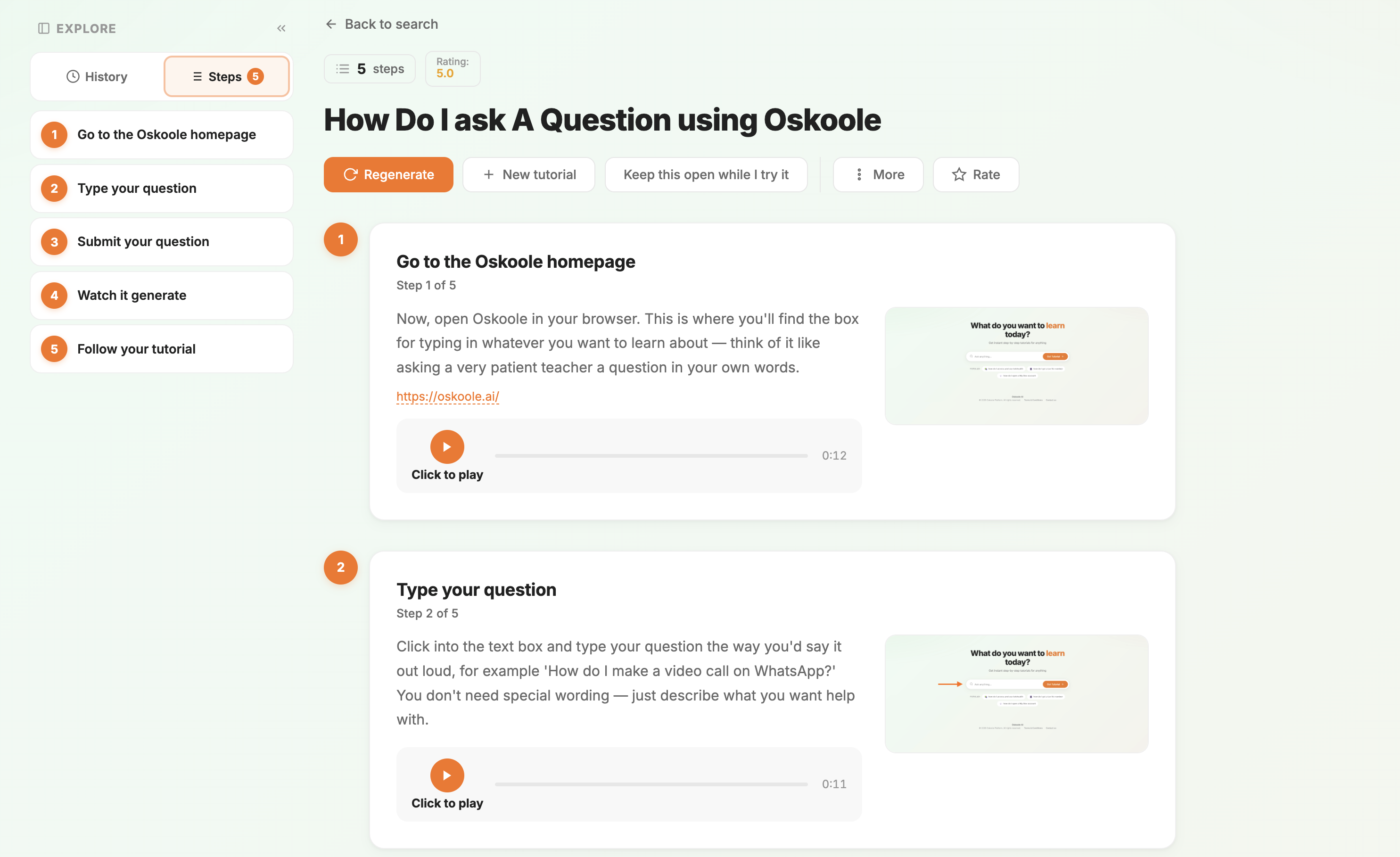
Type it in your own words. You’ll get simple steps, one at a time, with a voice reading them out. No rush. No jargon. No judgement.
Your first three questions are free. No card, no account.
“How do I access and use telehealth?”
- Check if telehealth is available. Call your clinic or look on its website.
- Book a telehealth appointment. Ask whether it’s by phone or video.
- Check your device and internet. Test your camera and sound beforehand.
- Find the appointment link or number. It comes by email, text or app.
- Join a few minutes early.
- Prepare for the visit. Have your symptoms, medications and questions ready.
- Follow up after the appointment. Look for scripts or referrals in your email or the clinic’s app.
Not sure which button? Ask again. Oskoole will walk you through it as many times as you like.
Three steps. As often as you like.
- Ask it your wayType your question in your own words, in English or any of 76 languages.
- Follow the stepsNumbered steps with pictures, and a voice that reads them to you.
- Come back any timeEvery answer is saved. Replay it next week, or next year. No one to bother.
Is that ad real? Just ask.
Fake videos of well-known Australians are all over Facebook, promising easy money from “investment” schemes. They look convincing, and they’re designed to.
Most people who see one don’t want to ring the family and ask. They feel silly, or they don’t want to be a bother. With Oskoole, you can ask at home, in your own words, and nobody else needs to know.
“is the twiggy forest facebook Ad a scam”
Typed exactly like this. Spelling doesn’t matter.
Yes, it’s a known scam. He has never endorsed these schemes. The videos are fake, and often made with AI.
- Know the scam What it is, and why it looks so real.
- Spot the warning signs Guaranteed returns, odd lip movements, “limited spots”.
- Don’t click or fill anything in Even a “free trial” form leads to a pushy phone call.
- Report the ad to Facebook
- Report it to Scamwatch too
- Warn friends and family
- Act fast if you already clicked Call your bank and change your passwords.
Every step has pictures and a voice reading it aloud. Ask again any time.
No one needs to know you nearly clicked
Ask the question you’d feel awkward asking anyone else. Oskoole never judges and never gets tired of it.
Ask the way you’d say it
No special words, no perfect spelling. In 76 languages, including the one you think in.
Help if it’s already happened
Clear steps on what to do next, who to call and where to report it, so a mistake doesn’t get worse.
Figure: National Anti-Scam Centre, Targeting Scams report (March 2026). Oskoole is not affiliated with any person named in this example. Warnings about celebrity scam ads: National Seniors Australia. Report scams at scamwatch.gov.au.
Start with what matters to you
One subscription, two things you’ll use
Answers when you’re stuck, and something to come back to on the days you’re not.
Answers, step by step
Ask in your own words and get numbered steps, written for someone doing it for the first time.
- Plain English, no jargon
- 76 languages, including the one you think in
- Any hour. Ask the same thing as often as you like
A few minutes of fun a day
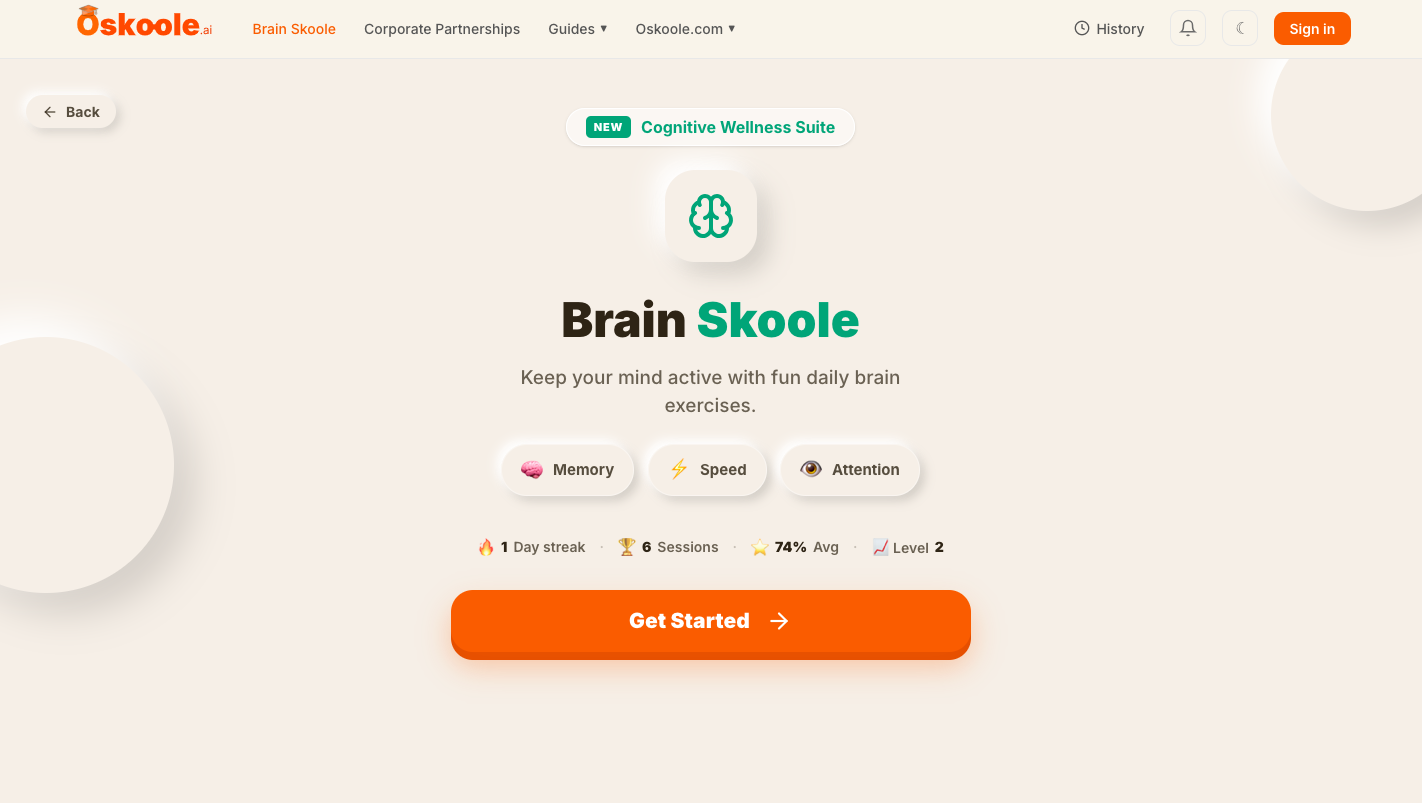
Daily memory, speed and attention games, with a streak worth keeping.
- At your own pace
- Keeps Oskoole familiar for when you need it
- In every plan, not an add-on
“He wasn’t struggling with technology. He was struggling with having to ask.”
Oskoole started with a family member who saved his questions up so he wouldn’t be a nuisance. Most of them never got asked. We built the thing he could ask instead.
No rush. No jargon. No judgement.
Your first three questions are free.
After that, choose how you’d like to pay. Both plans include everything. The only difference is how often you pay.
Yearly
Works out to $1.90 a week.
Save $20.88 compared with paying monthly — about two months free.
Monthly
Cancel any time.
Both plans include everything: step-by-step tech help in 76 languages, any time of day, and Brain Skoole.
Prices in Australian dollars, including GST. Secure card payment through Stripe.